by Kesaa Interiors | Home Office, Living Room, ROOMS
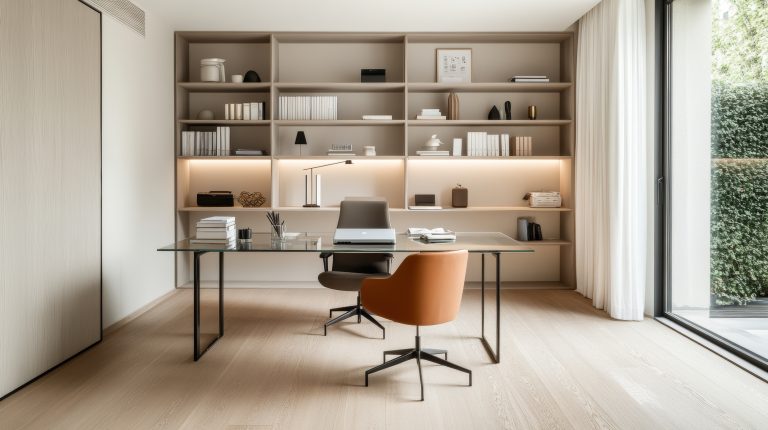
This post is all about Small Home Office TV Room Ideas.
Designing a room that works as both a home office and a TV area can feel like a true puzzle, especially when you’re short on square footage. The good news is that smaller rooms often bring out the best design solutions when you approach the layout and style with intention. With thoughtful choices for furniture, storage, and visual flow, a compact space can easily become a hardworking and inviting environment.
In this post, I’ll share 15 small home office TV room ideas that show you how to balance productivity with comfort while making the most of every inch. These ideas are practical, stylish, and easy to adapt, whether you’re transforming a spare bedroom or carving out multifunctional areas in your living room.

Space Planning & Layout
When the room serves two purposes, the way you arrange your furniture can make or break the design. A smart layout ensures both the workspace and the TV area feel distinct yet cohesive. Here are the first two small home office TV room ideas that focus on zoning and layout:
1. Create Dual-Purpose Zones with Clear Boundaries
Small rooms benefit from subtle but effective zoning. Using rugs, lighting, or even furniture placement, you can separate the work and leisure areas without adding physical barriers. For example, positioning a desk by the window while placing the seating area opposite the TV creates a natural flow. This type of balance helps the room feel structured and intentional rather than cluttered.

2. Save Space with a Floating Desk
Floating desks are ideal when every square foot counts. Mounted directly to the wall, they don’t take up valuable floor area, and they keep the design minimal. Pair a floating desk with a few slim shelves above for extra storage without crowding the room. This sleek option helps maintain an open, airy feel while still providing a functional workspace.

Smart Furniture Choices
The furniture you select plays a huge role in how well your space functions. In a room that doubles as both an office and a TV lounge, every piece should work harder than usual, whether through versatility, scale, or clever design. Let’s look at the next three small home office TV room ideas that focus on smart furniture decisions:
3. Invest in Multipurpose Furniture
When space is limited, furniture that serves multiple purposes is essential. A sofa bed, for example, accommodates lounging during the day and transforms into a guest bed at night. Ottomans with built-in storage are another great option—they work as extra seating, a coffee table, or a place to stash office essentials. The goal is to maximise use without crowding the room.

4. Choose a Compact or Corner Desk
A full-size desk isn’t always necessary in smaller spaces. Instead, consider a narrow console table, a ladder desk, or a corner desk that tucks neatly into unused areas. These solutions create a functional workspace while leaving plenty of open floor space for a seating area. Keeping proportions right is key here; slimmer designs prevent the office section from visually overwhelming the TV lounge.
5. Go for Modular Shelving or Built-in Units
Storage should feel integrated, not bulky. Built-ins around the TV or modular shelving systems are excellent for tying together both purposes of the room. They can hold office supplies, books, and décor without cluttering valuable floor space. Even a small wall unit can frame the TV and create a sleek backdrop while concealing cables and electronics.

Designing for Comfort & Style
A multifunctional space should be both practical and enjoyable to spend time in. The right design elements, lighting, colour, and textures help create the atmosphere you want, keeping the space professional enough for work while relaxed enough for downtime. Here are the next three small home office TV room ideas to bring comfort and personality into your design:
6. Layer Lighting for Day and Night Use
Lighting can completely change the feel of a room. For work hours, task lighting like a desk lamp or an angled floor lamp keeps things bright and focused. In the evenings, switch to softer ambient lighting to make TV viewing more comfortable. Consider dimmable lights so you can adjust the brightness depending on the activity.

7. Use a Neutral Palette with Bold Accents
Light, neutral tones make small rooms appear larger and more open. Shades of white, beige, or soft grey provide a calming base while still allowing you to introduce colour strategically. Accent pillows, throws, artwork, or even a patterned rug can bring just enough personality without overwhelming the space. This balance keeps the room both stylish and versatile.

8. Add Texture or an Accent Wall Behind the TV
One easy way to visually define the TV zone is to give that wall special treatment, whether through textured wallpaper, wood panelling, or bold paint. This approach separates the lounging area from the workspace without needing bulky divider furniture, making the room feel layered and intentional.
Maximising Storage
Storage is often the biggest challenge in compact multifunctional rooms. The key is to find options that are practical yet unobtrusive, helping the space stay neat while also looking stylish. Here are three small home office TV room ideas that focus on storage solutions:
9. Take Advantage of Vertical Storage
When floor space is limited, look up. Vertical storage, like tall shelving units, floating shelves, or wall-mounted cabinets, draws the eye upward and frees up valuable space below. This works especially well in home office TV rooms, where items like books, décor, and office supplies can be neatly organised without crowding the seating area.

10. Use Hidden Storage for a Minimalist Look
Too many visible items can make a small room feel cramped. Opt for concealed storage wherever possible, ottomans that open up, coffee tables with hidden compartments, or desks with slide-out drawers. These solutions let you tuck away clutter so that the room feels streamlined, whether you’re working or relaxing.

11. Integrate Cable Management and Tech Storage
Between computers, chargers, and entertainment devices, cords and cables can quickly overwhelm a small space. Built-in cable management solutions, cord covers, or custom media cabinets keep everything neat and discreet. Wall-mounted TVs not only free up surface space but also make it easier to conceal cords, making the entire room look intentional and orderly.

Personal Touches & Productivity Boosts
Once the layout, furniture, and storage are in place, it’s the finishing touches that really make the space feel inviting and functional. These final small home office TV room ideas are all about adding personality, boosting comfort, and enhancing how you use the room every day:
12. Incorporate Personal Style Through Décor
Adding décor that reflects your style helps prevent a multifunctional room from feeling utilitarian. Artwork, cushions, textiles, and decorative accessories add warmth and individuality without taking up much space. A few well-chosen pieces can integrate both the workspace and TV lounge into one cohesive design.
13. Improve Acoustics with Soft Furnishings
Sound quality can often be overlooked in smaller rooms. Rugs, curtains, and upholstered furniture all soften sound and reduce echo, making conference calls clearer and TV audio more enjoyable. This is a subtle but effective way to create a more comfortable environment without major renovations.

14. Add Flexible Seating Options
Flexibility is key in small spaces, especially when guests are involved. A swivel chair that works for both the desk and TV area is a versatile option. Stackable stools or poufs are also great space-savers; they can be tucked away when not in use but easily pulled out when you need extra seating.
15. Refresh the Space with Indoor Greenery
Plants instantly bring energy, balance, and freshness into multipurpose spaces. Small potted plants on shelves, a trailing vine on a bookcase, or even a slim vertical plant wall can improve air quality and reduce stress. Greenery bridges the gap between work and relaxation zones, helping the space feel lively without needing extra décor.

Designing a small home office TV room comes down to layering practicality with personality. With smart layouts, multifunctional furniture, thoughtful storage, and stylish finishing touches, it’s absolutely possible to create a room that balances productivity and relaxation. These 15 small home office TV room ideas are adaptable to almost any space, helping you work efficiently during the day and unwind comfortably in the evening.
by Kesaa Interiors | DECOR & DIY, Home Office, Lighting & Accessories, ROOMS
This post is all about Small Home Office Lighting Ideas.
Lighting completely transforms how a small home office feels and functions. After years of designing compact workspaces, I’ve seen firsthand how the right lighting setup can make a cramped corner feel spacious and inviting, while poor lighting can make even the most organised space feel oppressive.
The challenge with small home offices is that every square inch counts. You need lighting that works hard without taking up precious desk or floor space. The good news? There are more innovative small home office lighting ideas available now than ever before. From sleek wall-mounted fixtures to multifunctional desk lamps, you can create a well-lit workspace that enhances both your productivity and your room’s aesthetic.
Throughout this guide, we’ll explore practical lighting solutions that address the unique challenges of compact workspaces. Whether you’re converting a closet into an office or carving out a corner of your bedroom, these strategies will help you build a lighting plan that makes your space work harder and look better.

Understanding the Three Layers of Office Lighting
Creating effective lighting in any workspace starts with understanding the three essential layers: ambient, task, and accent lighting. In small home offices, mastering this layered approach becomes even more critical because you’re working with limited space and often fewer natural light sources.
Ambient Lighting
Think of ambient lighting as your room’s foundation. It provides overall illumination that allows you to move around safely and sets the general mood of your space. In small home offices, ambient lighting often comes from ceiling fixtures, but that’s where many people stop—and miss huge opportunities.
The trick with ambient lighting in compact spaces is achieving even coverage without overwhelming the room. A single overhead fixture rarely does the job well, creating harsh shadows and uneven light distribution. Instead, consider combining a modest ceiling fixture with indirect lighting sources. LED strips tucked behind floating shelves or along the ceiling perimeter can provide soft, diffused light that makes your space feel larger and more welcoming.
Task Lighting
This is where your small home office lighting ideas need to get specific and strategic. Task lighting illuminates your primary work areas—your desk, reading chair, or any surface where you perform detailed work. Without proper task lighting, you’ll find yourself squinting at your screen, developing headaches, and feeling fatigued much faster than necessary.
In small spaces, adjustable desk lamps remain the gold standard for task lighting. Look for models with articulating arms that let you direct light exactly where you need it. The key is choosing fixtures with small bases that don’t eat up valuable desk real estate. Wall-mounted swing-arm lamps are particularly brilliant for tiny offices because they provide all the flexibility of a desk lamp without touching your work surface.
Position your task lighting to minimise glare on your computer screen while illuminating your keyboard and any paperwork. The light source should sit above and slightly to the side of your work area, never directly in your line of sight.
Accent Lighting
While it might seem like a luxury in a small space, accent lighting serves important purposes beyond aesthetics. It adds depth and dimension to your office, preventing that flat, box-like feeling that plagues small rooms. More importantly, it reduces eye strain by providing gentle contrast to your brighter task lighting.
Accent lighting in small home offices works best when it serves double duty. A small table lamp on a bookshelf provides both decorative appeal and additional light for finding reference materials. Battery-operated picture lights can highlight artwork while adding another layer of illumination. Even a simple string of warm LED lights along a shelf edge can soften the overall ambience while making your space feel more intentional and designed.
The beauty of this three-layer approach is its flexibility. During focused work sessions, you might rely heavily on task lighting with minimal ambient light. For video calls, you’ll want more balanced ambient lighting with strategic accent lights to create an appealing background. Understanding how these layers work together gives you complete control over your workspace atmosphere.

Best Small Home Office Lighting Ideas by Space Type
Every small home office comes with its own set of lighting challenges. The solution that works brilliantly in a converted closet might fail in a corner of your living room. Let’s break down the most effective lighting strategies for different types of compact workspaces.
Corner Office Setups
Corner offices are perhaps the most common small home office configuration, and they present unique opportunities for creative lighting solutions. The two walls give you multiple mounting surfaces, which is a huge advantage when floor space is at a premium.
Wall-mounted swing arm lamps are ideal here. Mount one on the wall beside your desk, positioning it so the arm can reach across your entire work surface. This setup gives you focused task lighting without sacrificing any desk space. The adjustable arm means you can push the light out of the way when you’re not using it, keeping your corner feeling open and uncluttered.
LED strip lighting works wonders in corner setups, especially when installed under floating shelves above your desk. This creates a wash of light across your work surface that’s both functional and atmospheric. The strips are nearly invisible when installed properly, so you get the benefit of additional lighting without any visual bulk. Choose strips with dimming capabilities so you can adjust the intensity based on the time of day and your current task.
Don’t overlook the potential of a well-placed corner floor lamp. Modern designs with small footprints can tuck perfectly into the angle where your walls meet, providing ambient uplighting that makes your ceiling appear higher. Look for models with built-in shelves or tables—these multifunctional pieces are perfect for small spaces where every item needs to earn its keep.

Closet Office Conversions
Transforming a closet into a home office has become increasingly popular, but these ultra-compact spaces require particularly clever lighting solutions. The confined nature of a closet means you’re often dealing with no windows and limited electrical access, which calls for creative problem-solving.
Recessed lighting can be a game-changer if you’re willing to invest in some basic electrical work. Even just two or three small recessed fixtures in the ceiling can provide ample ambient light without eating into your precious headroom. If hardwiring isn’t an option, battery-operated LED puck lights offer a surprisingly effective alternative. Modern versions are rechargeable via USB and can last weeks on a single charge.
For task lighting in closet offices, magnetic track lighting systems are worth their weight in gold. These systems attach to metal strips that you can mount on walls or under shelves, and the individual lights can be repositioned as needed. This flexibility is crucial in such a small space where your lighting needs might change based on whether you’re typing, reading, or taking video calls.
The back wall of your closet office is prime real estate for lighting. Consider installing a panel of LED backlighting behind a frosted acrylic sheet. This creates a bright, even light source that doesn’t glare and makes your tiny space feel more like a professional workspace than a converted storage area.

Shared Space Solutions
When your home office shares space with another room function—whether it’s your bedroom, living room, or dining area—lighting becomes about creating definition and flexibility. Your small home office lighting ideas here need to establish a clear work zone while maintaining harmony with the room’s other purposes.
Portable desk lamps with focused beam technology are essential for shared spaces. These lamps create a pool of bright light on your work surface without spilling over into the rest of the room. This is particularly important if you’re working while others are relaxing or sleeping nearby. Look for lamps with multiple brightness settings and colour temperature options so you can adjust based on the room’s overall lighting needs.
Clip-on lights deserve more credit than they typically get. These versatile fixtures can attach to shelves, desk edges, or even window frames, providing targeted light exactly where you need it. When you’re done working, many clip lights can be repositioned to serve as reading lights or accent lighting for the room’s other functions.
Smart bulbs have revolutionised lighting for multi-purpose spaces. Program different “scenes” for work time versus relaxation time. During work hours, your desk lamp might emit bright, cool light for maximum alertness. Come evening, the same fixture can switch to warm, dim light that complements the room’s leisure activities. This technology lets you optimise your small home office lighting ideas without constantly swapping fixtures or adjusting multiple switches.
The key to shared space lighting is thinking in zones rather than trying to light the entire room uniformly. Use your lighting to create a subtle but clear boundary around your work area. This psychological separation helps you maintain focus during work hours while allowing the space to transform back into its other role when you’re off the clock.

Top Lighting Fixtures for Small Home Offices
Choosing the right fixtures can make or break your lighting plan. The market is flooded with options, but not all are suitable for compact workspaces. Here’s what actually works when space is tight and style still matters.
Space-Saving Desk Lamps
The ideal desk lamp for a small home office has a minimal base footprint, maximum adjustability, and enough light output to illuminate your entire work surface. Architect-style lamps with weighted bases that measure less than 6 inches across hit all these marks. The cantilever design means the lamp extends over your desk without the base taking up valuable space where you need to work.
Look for features that add functionality without bulk. Built-in USB charging ports eliminate the need for a separate charging station. Lamps with touch controls on the base or head are easier to adjust than those with cords or switches that dangle. Memory functions that recall your preferred brightness and colour temperature settings save time and ensure consistent lighting conditions.
LED technology has been a game-changer for small home office lighting ideas. Modern LED desk lamps produce more light than their halogen predecessors while generating almost no heat—a crucial consideration when you’re working in tight quarters. The slim profiles possible with LED technology mean today’s desk lamps can be both powerful and nearly invisible when viewed from the side.
Wall-Mounted Options
Wall-mounted lighting deserves serious consideration in any small office. By moving your light sources off horizontal surfaces, you instantly free up space for the things that actually need to sit on your desk.
Plug-in wall sconces have evolved far beyond the hotel-room reading light. Contemporary designs offer the same adjustability as desk lamps but mount to the wall with a simple bracket. The best models feature extra-long arms that can extend across a full desk width, then fold flat against the wall when not in use. For renters, these plug-in options avoid the permanence of hardwired fixtures while still providing professional-grade lighting.
If you own your space or have an accommodating landlord, hardwired fixtures open up even more possibilities. Swing-arm wall lamps with dimmer switches give you complete control over your lighting environment. Position them at eye level or slightly above to minimise shadows on your work surface. The hardwired approach also eliminates cord clutter—a significant advantage in small spaces where every visual distraction matters.
Track lighting mounted on the wall rather than the ceiling offers unique flexibility for small offices. You can adjust individual heads to highlight different areas as your needs change, and modern track systems accept various fixture types so you can mix focused spotlights with broader wash lights.
Overhead Solutions
Overhead lighting in small home offices requires careful consideration. The wrong fixture can make a low ceiling feel oppressive or cast unflattering shadows across your workspace.
Pendant lights can work beautifully in small offices, but placement is critical. Hang them off to the side rather than directly over your desk to avoid creating shadows when you lean forward to work. A pendant with an opaque shade that directs light downward prevents glare on your computer screen while adding a design element that draws the eye upward, making your space feel larger.
For rooms with standard 8-foot ceilings or lower, flush-mount fixtures are the practical choice. Modern LED flush-mounts come in sleek designs that provide substantial light output without the bulk of traditional fixtures. Look for models with frosted diffusers that spread light evenly across the room rather than creating a bright spot directly below.
Track lighting remains one of the most versatile overhead options for small home offices. The ability to aim individual lights means you can illuminate your desk, highlight wall art, and provide general room lighting all from one fixture. Choose a track system that allows you to add or remove lights as your needs evolve.

Natural Light Optimisation
While artificial lighting is crucial, maximising natural light should be your first priority in any small home office. Daylight boosts mood, reduces eye strain, and makes small spaces feel more expansive—all without using a single watt of electricity.
Window Placement Strategies
The relationship between your desk and windows determines whether natural light becomes an asset or a liability. Positioning your desk perpendicular to a window gives you the benefit of natural light without glare on your screen or shadows across your work surface. This setup also prevents you from staring directly into bright light, which can cause eye fatigue and headaches.
If perpendicular placement isn’t possible, position your monitor between you and the window rather than facing it. This arrangement uses your screen to block direct sunlight while still allowing natural light to fill the room. Adjust your monitor’s brightness and contrast settings throughout the day to maintain comfortable viewing as natural light levels change.
Sheer curtains or adjustable blinds are essential tools for managing natural light. They diffuse harsh direct sunlight while maintaining the psychological benefits of a connection to the outdoors. Light-filtering cellular shades offer excellent control—you can adjust them to block glare at certain times of day while still allowing diffused light to enter.
Mirrors and Reflective Surfaces
Strategic use of mirrors can dramatically amplify natural light in a small home office. A mirror placed on the wall opposite a window effectively doubles the natural light in your space. The reflection also creates an illusion of depth, making your office feel less confined.
But mirrors require thoughtful placement. Avoid positioning them where they’ll reflect your computer screen back at you or create distracting movements in your peripheral vision. A tall mirror leaning against the wall behind your desk can bounce light from windows on the side walls without causing these problems.
Light-coloured furniture and walls do more than just look clean and modern—they act as natural light reflectors. White or light grey walls can increase the effective brightness of your space by up to 80% compared to dark colours. If painting isn’t an option, even adding light-colored furniture or wall art can help distribute natural light more effectively throughout your small office.
Light Tubes and Skylights
For interior rooms or spaces without adequate windows, light tubes (also called sun tunnels) offer an innovative solution. These systems capture sunlight on the roof and channel it through reflective tubes to a diffuser in your ceiling. Modern light tubes can bring surprising amounts of natural light into windowless spaces, and their small ceiling footprint makes them ideal for tiny offices.
While skylights require more substantial installation, they’re worth considering if you’re planning a major renovation. A small skylight can transform a cramped, dark space into an airy, productive environment. Opt for models with built-in blinds or electrochromic glass that can be dimmed electronically to prevent overheating and glare during peak sun hours.

Smart Lighting Solutions
Technology has revolutionised how we approach small home office lighting ideas. Smart lighting systems offer unprecedented control over your workspace environment, and they’re particularly valuable in compact spaces where every element needs to multitask.
Programmable LED Bulbs
Smart LED bulbs have moved beyond novelty to become genuinely useful tools for productivity. The ability to adjust colour temperature throughout the day aligns your lighting with your natural circadian rhythms. Cool, bright light in the morning helps you feel alert and focused. As the afternoon approaches, gradually warming the light reduces eye strain and helps prevent the energy crash many people experience.
Most smart bulbs connect to your home WiFi and can be controlled through smartphone apps. This means you can adjust your lighting without leaving your desk—a small but meaningful advantage when you’re deep in concentration. Set schedules that automatically adjust your lighting based on your typical work patterns. Your lights can brighten gradually as you start your workday and dim as evening approaches.
Integration with productivity apps takes smart lighting to another level. Some systems can sync with your calendar to automatically brighten lights during important video calls or dim them during scheduled focus time. Others connect with Pomodoro timer apps, subtly changing colour to signal when it’s time for a break.
Motion Sensors
Motion-activated lighting might seem unnecessary in a small office where everything is within arm’s reach, but these systems offer surprising benefits. Under-desk motion sensors can activate bias lighting when you sit down, reducing the contrast between your bright screen and dark surroundings. This simple addition significantly reduces eye strain during long work sessions.
Motion sensors also work well for auxiliary lighting. Install them in nearby closets or storage areas so you don’t have to fumble for switches when grabbing supplies. The hands-free operation is particularly valuable when your hands are full of files or equipment.
Energy efficiency is another compelling argument for motion sensors in small offices. Since these spaces often double as storage or occasional-use areas, motion sensors ensure lights only run when someone’s actually present. Over time, the energy savings can offset the initial investment in sensor technology.
Voice-Controlled Systems
Voice control has matured from a gimmick to a practical tool for lighting management. When your small home office lighting ideas include multiple light sources, voice commands let you control them all without cluttering your desk with multiple switches or remotes.
Popular systems like Alexa, Google Assistant, and Siri can control most major smart lighting brands. Create custom commands that adjust multiple lights simultaneously. A simple “start work” command could turn on your desk lamp, brighten overhead lights, and activate your bias lighting all at once. End-of-day commands can reverse the process, helping establish clear boundaries between work and personal time.
The real power of voice control becomes apparent during video calls or when your hands are occupied. Adjust lighting on the fly without interrupting your flow or reaching across your desk. This seamless control helps maintain the professional atmosphere that’s sometimes challenging to achieve in a home office setting.

Common Lighting Mistakes to Avoid
Even well-intentioned lighting plans can go wrong. Understanding these common pitfalls helps you create a more effective lighting scheme from the start.
Over-lighting Small Spaces
More light isn’t always better, especially in compact offices. Over-lighting creates harsh contrasts, increases glare, and can make a small space feel clinical rather than comfortable. The goal is even, adequate illumination, not maximum brightness.
Calculate your lighting needs based on the specific tasks you perform. General office work requires about 40-50 lumens per square foot. Detailed tasks like reading fine print or working with small components need closer to 70-80 lumens per square foot. In a 64-square-foot office (8×8 feet), this translates to roughly 2,500-3,000 total lumens for general work.
Signs of over-lighting include frequent headaches, difficulty focusing on your screen, and the need to squint even when looking at non-digital materials. If you find yourself turning off lights to feel comfortable, you’ve likely exceeded your space’s optimal lighting levels. Remember that walls, furniture, and other surfaces reflect light, amplifying the effect of your fixtures.
Ignoring Colour Temperature
Colour temperature dramatically affects both productivity and mood, yet many people install bulbs without considering this crucial factor. Cool light (5000K-6500K) promotes alertness but can feel harsh in small spaces. Warm light (2700K-3000K) creates a cosy atmosphere but might make you drowsy during afternoon work sessions.
The sweet spot for most small home offices falls between 3500K and 4500K—neutral white light that supports focus without feeling sterile. If you can only choose one colour temperature, 4000K works well for most people and tasks. However, the ideal solution involves an adjustable colour temperature that changes throughout the day.
Pay attention to consistency across your light sources. Mixing warm and cool bulbs in the same space creates visual discord that’s subtly exhausting. When implementing small home office lighting ideas, ensure all your bulbs in the same sightline share similar colour temperatures.
Poor Shadow Management
Shadows are inevitable, but problematic shadows can make work unnecessarily difficult. The most common culprit is a single overhead light source that casts shadows from your hand onto your writing surface or keyboard. These shadows force constant micro-adjustments in posture and head position, leading to neck and shoulder strain.
Identify shadow problems by working through your typical tasks while paying attention to where shadows fall. Take photos of your workspace at different times of day to spot issues you might miss in the moment. The solution usually involves adding light from multiple angles rather than simply increasing brightness from existing sources.
Cross-lighting—illuminating your workspace from two or more directions—effectively eliminates problematic shadows. This doesn’t require doubling your fixtures; often, adding a simple LED strip or small accent light from the opposite direction solves shadow issues completely.
Budget-Friendly Small Home Office Lighting Ideas
Creating a well-lit workspace doesn’t require a massive investment. Some of the most effective lighting solutions cost less than a nice desk chair.
DIY Solutions
Battery-operated LED strips have revolutionised budget lighting. These adhesive strips cost under $20 and can transform dark corners into a functional workspace. Install them under shelves, behind monitors, or along the back edge of your desk for instant bias lighting. The battery versions eliminate cord clutter and work anywhere, regardless of outlet placement.
Repurposing household items into lighting fixtures adds personality while saving money. A simple pendant light kit (around $15) can transform anything from a basket to a colander into a unique overhead fixture. Mason jar lights might be overdone in some contexts, but in a small office, their compact size and warm glow create an inviting atmosphere without breaking the budget.
Rope lights offer another affordable option for adding ambient lighting to small offices. Wind them around wall-mounted shelves or tuck them behind furniture to create a soft glow that makes your space feel larger. Modern LED rope lights use minimal electricity and last for years, making them a smart long-term investment.
Affordable Upgrades
Sometimes the best lighting improvement is also the simplest. Swapping old incandescent or CFL bulbs for LED equivalents instantly improves light quality while reducing energy costs. A good LED bulb costs $5-10 but lasts 15-20 years with normal use. This simple upgrade pays for itself through energy savings while providing better light quality from day one.
Peel-and-stick LED strips with built-in dimmers offer professional-looking results for under $30. These strips come with adhesive backing and plug directly into standard outlets. Install them under cabinets or shelves for task lighting that rivals expensive built-in systems. The dimmable versions let you fine-tune brightness levels, making them versatile enough for both focused work and ambient lighting.
Discount retailers have seriously stepped up their lighting game in recent years. Stores like IKEA, Target, and even Five Below now carry architect-style desk lamps, modern pendants, and LED fixtures that look far more expensive than their price tags suggest. The key is knowing what to look for: sturdy construction, adjustable positioning, and LED compatibility matter more than brand names.
Thrift stores and online marketplaces offer another avenue for budget-conscious lighting upgrades. Older fixtures with good bones can be transformed with spray paint and new LED bulbs. A dated brass desk lamp becomes a modern matte black fixture with an hour of work and $5 in supplies. Just ensure any vintage fixtures are electrically sound before incorporating them into your small home office lighting ideas.

Lighting for Video Calls
The rise of remote work has made video call lighting a critical consideration for home offices. Poor lighting during video calls can undermine your professional image and make communication more difficult than necessary.
Professional Appearance on Camera
The key to looking professional on video calls is soft, even lighting that illuminates your face without creating harsh shadows. Position your primary light source in front of you, slightly above eye level and off to one side. This prevents the flat, washed-out look of direct frontal lighting while avoiding unflattering shadows.
A simple desk lamp positioned beside your monitor can work wonders if aimed correctly. Point the light at the wall behind your monitor rather than directly at your face. The reflected light provides softer, more flattering illumination. If you’re using a window for natural light, the same principle applies—sit facing the window but use sheer curtains to diffuse direct sunlight.
Background lighting deserves equal attention. A completely dark background makes you appear to float in space, while overly bright backgrounds cause your camera to improperly expose your face. Add a small lamp or LED strip behind you to provide subtle separation between you and your background. This three-dimensional lighting setup looks far more professional than relying on a single light source.
Portable Solutions
Dedicated video lighting doesn’t have to mean bulky, expensive equipment. Ring lights designed for smartphones and laptops have become incredibly affordable and effective. The circular design provides even, shadow-free lighting that’s particularly flattering for video calls. Many models clip directly onto your monitor or laptop screen, taking up zero desk space when not in use.
Small LED panels offer more flexibility than ring lights. These credit card-sized lights can be positioned anywhere and often include adjustable colour temperature and brightness. Mount one on a small tripod or clip it to a shelf for fill lighting that eliminates shadows without overwhelming your space. Battery-powered versions mean you can position them optimally without worrying about cord management.
The beauty of portable video lighting is its temporary nature. When your call ends, these lights can be tucked away in a drawer, maintaining the clean aesthetic of your small office. This flexibility is particularly valuable in shared spaces where permanent video lighting might interfere with the room’s other functions.

Transforming a small home office with strategic lighting doesn’t require a complete renovation or a huge budget. The key is understanding how different types of lighting work together and choosing solutions that fit your specific space and work style.
FAQ Section
What’s the minimum amount of lighting needed for a small home office?
At minimum, you need 300 lumens per square meter for general illumination, plus 400-600 lumens of task lighting at your work surface. For a typical 8×10 foot office, this translates to about 2,400 lumens total from all sources combined.
Can I use smart home technology with small home office lighting ideas?
Absolutely. Smart bulbs, switches, and plugs work with existing fixtures, making them perfect for small spaces. You can control multiple light sources from your phone, create schedules, and even sync lighting with your calendar – all without adding bulk to your office.
How do I prevent eye strain in a small, windowless office?
Layer your lighting to avoid harsh contrasts, use bulbs with high CRI (80+) for accurate colour rendering, and position lights to minimise glare. Add bias lighting behind your monitor to reduce the contrast between your bright screen and dark surroundings. Take regular breaks to rest your eyes, and consider a desk lamp with adjustable colour temperature to mimic natural light changes throughout the day.
What’s the best lighting for video calls in a small space?
Position a soft light source at eye level in front of you – a ring light or desk lamp with a diffuser works well. Avoid backlighting from windows or bright sources behind you. If space is tight, a small LED panel that clips to your monitor provides flattering illumination without taking up desk space. Aim for 3000-3500K colour temperature for the most flattering skin tones on camera.
How can I add lighting without electrical work?
Plenty of small home office lighting ideas require zero electrical work. Battery-operated LED puck lights stick anywhere and provide surprising brightness. Plug-in wall sconces eliminate the need for hardwiring. Floor and table lamps simply need an outlet. LED strips with adhesive backing run on low-voltage adapters. Even some track lighting systems now offer plug-in versions that mount to the ceiling without wiring.
by Kesaa Interiors | DESIGN GUIDES, Home Office, Room-by-Room Guides, ROOMS
Want to know what the essentials are for a productive home office design? You have come to the right place to find out!
As an interior designer, I’ve seen firsthand how the right environment can make all the difference, especially when it comes to working from home. With more of us setting up shop in our living spaces, having a productive home office design is crucial.
It’s not just about having a desk and chair; it’s about creating a space that inspires and helps you stay focused. Today, I want to share some tips on how you can transform your home office into a functional and motivating place. Let’s dive in!

Best Productive Home Office Design Essentials!
1. Understanding the Basics of Productive Home Office Design
Creating a productive home office design starts with understanding what you need from your workspace. It’s about more than just aesthetics; it’s about functionality and personal comfort. Here’s how you can start:
- Identify Your Work Style: Are you someone who thrives in a minimalist setting, or do you need a bit of creative chaos around you? Understanding your work style is key to designing a space that works for you. A productive home office design should cater to your specific needs, whether that means having plenty of storage for your files or a big whiteboard for brainstorming sessions.
- Balance Aesthetics and Functionality: You want a space that feels inviting and reflects your personal style, but it also needs to support your work habits. Think of it as creating a little haven where you can be your most productive self. Consider the following:
- Colour Schemes: Choose colours that boost your mood and concentration. Blues and greens are known for their calming effects, while yellows can stimulate creativity.
- Textures and Materials: Incorporate materials that are both pleasing to the eye and functional. A wooden desk can add warmth, while a glass surface might offer a sleek, modern look.
- Personalisation: It’s not just about the furniture and decor. It’s about creating an environment that helps you focus and get things done. Add personal touches that make the space uniquely yours:
- Artwork and Decor: Hang art that inspires you or display items that have personal significance.
- Plants: Incorporate greenery to improve air quality and add a touch of nature.

By understanding these basics, you can start to create a productive home office design that not only looks great but also enhances your work performance. Now, let’s move on to choosing the right location for your home office.
2. Choosing the Right Location
Selecting the perfect spot for your home office is a crucial step in achieving a productive home office design. The location can significantly impact your focus and efficiency, so here’s what to consider:
- Assess Your Space: Look around your home and identify potential areas for your office. Consider:
- Natural Light: Spaces with ample natural light can boost your mood and energy levels. Try to position your desk near a window if possible.
- Quietness: Choose a location away from high-traffic areas to minimise distractions. A spare room or a quiet corner can work wonders.
- Space Availability: Ensure there’s enough room for your desk, chair, and any additional furniture or equipment you might need.
- Potential Locations: Depending on your home’s layout, here are some ideas:
- Spare Room: If you have an extra room, it can be transformed into a dedicated office space.
- Living Room Corner: Utilise a corner of your living room with a compact desk setup.
- Converted Closet: A larger closet can be converted into a cosy office nook with some creative shelving and lighting.
- Considerations for Shared Spaces: If you’re sharing your workspace with others, think about:
- Privacy: Use room dividers or screens to create a sense of separation.
- Noise Control: Invest in noise-cancelling headphones or soundproofing materials to maintain focus.

Choosing the right location is foundational to a productive home office design. Once you’ve found your spot, it’s time to think about the furniture that will support your work.
3. Ergonomic Furniture Selection
Ergonomic furniture is essential for maintaining comfort and productivity throughout your workday. Here’s how to choose the right pieces for your productive home office design:
- Desk Selection: Your desk is the centrepiece of your office, so choose wisely:
- Size and Shape: Ensure your desk fits comfortably in your space and provides enough surface area for your work essentials.
- Adjustability: Consider a height-adjustable desk to switch between sitting and standing, promoting better posture and circulation.
- Chair Considerations: A good chair is crucial for long hours of work:
- Support and Comfort: Look for chairs with lumbar support and adjustable features to fit your body’s needs.
- Material and Design: Choose a chair with breathable fabric and a design that complements your office aesthetic.
- Additional Furniture and Accessories:
- Footrests and Arm Supports: These can help reduce strain and improve comfort.
- Storage Solutions: Incorporate shelves, cabinets, or drawers to keep your workspace organised and clutter-free.

Investing in ergonomic furniture is a key component of a productive home office design. It ensures that you can work comfortably and efficiently, reducing the risk of strain or injury. Next, let’s explore how lighting can further enhance your workspace.
4. Optimising Lighting for Productivity
Lighting plays a pivotal role in creating a productive home office design. The right lighting can enhance your mood, reduce eye strain, and improve overall productivity. Here’s how to optimise your office lighting:
- Maximise Natural Light:
- Positioning: Place your desk near a window to take advantage of natural light, which can boost your mood and energy.
- Window Treatments: Use sheer curtains or blinds to control glare while still allowing light to filter through.
- Artificial Lighting Options:
- Task Lighting: Invest in a good desk lamp with adjustable brightness to focus light where you need it most.
- Ambient Lighting: Use overhead lights or floor lamps to provide general illumination and reduce shadows.
- Adjustable Lamps: Consider lamps with adjustable arms and dimmable features to customise lighting based on the time of day and task.
- Lighting Tips for Different Times of Day:
- Morning: Use bright, cool-toned lights to energise and wake up.
- Afternoon: Natural light should be maximised, supplemented with task lighting as needed.
- Evening: Switch to warmer, softer lighting to help wind down and reduce eye strain.

Optimising your lighting setup is essential for a productive home office design. It not only enhances visibility but also creates a comfortable and inviting atmosphere. Now, let’s look at how organisation can further boost your productivity.
5. Organising for Efficiency
An organised workspace is a cornerstone of a productive home office design. It helps minimise distractions and keeps you focused on your tasks. Here’s how to achieve an efficient setup:
- Declutter Your Space:
- Regular Clean-ups: Schedule regular decluttering sessions to keep your workspace tidy.
- Essential Items Only: Keep only the items you use daily on your desk to avoid unnecessary clutter.
- Utilise Storage Solutions:
- Shelves and Cabinets: Install shelves or cabinets to store books, files, and office supplies neatly.
- Desk Organisers: Use trays, bins, and drawer organisers to keep small items in order.
- Digital Organisation:
- File Management: Use digital tools and cloud storage to organise and back up important documents.
- Task Management Apps: Implement apps to keep track of tasks and deadlines, reducing paper clutter.
- Personalised Systems:
- Labelling: Clearly label storage areas to make finding items easier.
- Colour Coding: Use colour-coded systems for files and folders to quickly identify categories.

By organising your workspace efficiently, you create a productive home office design that supports your workflow and reduces stress. Next, we’ll explore how personalising your workspace can inspire creativity and motivation.
6. Personalising Your Workspace
Personalising your workspace is a vital aspect of a productive home office design. It not only makes the space feel more inviting but also boosts your creativity and motivation. Here’s how to add personal touches to your office:
- Incorporate Personal Style:
- Artwork and Decor: Hang art pieces that inspire you or display personal photos and mementos that bring joy.
- Colour Schemes: Choose colours that resonate with you and enhance your mood. Whether it’s calming blues or energising yellows, let your personality shine through.
- Add Greenery:
- Plants: Introduce indoor plants to improve air quality and add a touch of nature. Consider low-maintenance options like succulents or snake plants.
- Planters and Pots: Use decorative planters that complement your office decor.
- Create a Vision Board:
- Inspiration and Goals: Pin up images, quotes, and goals that inspire you and keep you focused on your aspirations.
- Rotating Content: Update your board regularly to keep the inspiration fresh and relevant.
- Comfort and Cosiness:
- Textiles: Add cushions, throws, or a cosy rug to make the space more comfortable.
- Scented Candles or Diffusers: Use scents that help you relax and concentrate, like lavender or citrus.

Personalising your workspace is about making it a place where you feel comfortable and inspired. It’s a key element of a productive home office design that reflects who you are. Now, let’s discuss how to seamlessly integrate technology into your office setup.
7. Incorporating Technology and Connectivity
In today’s digital age, technology is an integral part of a productive home office design. Ensuring seamless connectivity and efficient tech integration can significantly enhance your workflow. Here’s how to do it:
- Reliable Internet Connection:
- Router Placement: Position your router centrally to ensure strong Wi-Fi coverage throughout your office.
- Wired Connections: Consider using Ethernet cables for a more stable and faster internet connection.
- Tech Integration:
- Cable Management: Use cable organisers or clips to keep cords tidy and out of sight, reducing visual clutter.
- Charging Stations: Set up a dedicated area for charging devices, keeping them organised and easily accessible.
- Essential Tech Accessories:
- Monitors and Stands: Invest in a quality monitor and adjustable stand to improve ergonomics and reduce eye strain.
- Peripherals: Choose a comfortable keyboard and mouse that suit your work style.
- Smart Office Solutions:
- Voice Assistants: Use smart speakers or assistants to set reminders, control lighting, or play music.
- Automation Tools: Implement software that automates repetitive tasks, freeing up time for more important work.

Incorporating technology effectively is crucial for a productive home office design. It ensures that your workspace is equipped to handle your daily tasks efficiently. Finally, let’s explore how to maintain a productive atmosphere in your home office.
8. Maintaining a Productive Atmosphere
Creating a productive home office design is just the beginning; maintaining a productive atmosphere is key to long-term success. Here are some strategies to keep your workspace conducive to productivity:
- Establish a Routine:
- Consistent Schedule: Set regular work hours to create a sense of structure and discipline.
- Breaks and Downtime: Schedule short breaks to recharge and prevent burnout. Consider techniques like the Pomodoro Technique to manage time effectively.
- Minimise Distractions:
- Noise Control: Use noise-cancelling headphones or white noise machines to block out distractions.
- Digital Boundaries: Limit social media and non-work-related browsing during work hours to stay focused.
- Refresh Your Workspace:
- Regular Updates: Periodically change up your decor or rearrange your furniture to keep the space feeling fresh and inspiring.
- Seasonal Adjustments: Adapt your workspace to the seasons, such as adding a cosy blanket in winter or fresh flowers in spring.
- Promote Well-being:
- Mindfulness Practices: Incorporate mindfulness or meditation practices into your routine to reduce stress and enhance focus.
- Healthy Habits: Keep water and healthy snacks nearby to stay hydrated and energised throughout the day.
- Set Boundaries:
- Work-Life Balance: Clearly define the boundaries between work and personal time, especially if your office is in a shared space.
- Family and Roommates: Communicate your work schedule to those you live with to minimise interruptions.

Maintaining a productive atmosphere is an ongoing process that requires attention and adaptation. By implementing these strategies, you can ensure that your productive home office design continues to support your work and well-being.
To wrap things up, a productive home office design is all about creating a space that not only looks great but also supports your work habits and personal style. From choosing the right location and furniture to optimising lighting and incorporating technology, each element plays a crucial role in enhancing your productivity. Remember, your workspace should be a reflection of you—comfortable, inspiring, and efficient.
by Kesaa Interiors | DECOR & DIY, DESIGN GUIDES, DIY Projects, Furniture & Layout Guides, Home Office, ROOMS
Want to know how to create the perfect ergonomic home office? You have come to the right place!
With more and more of us embracing the work-from-home lifestyle, the need for a dedicated and productive workspace has never been greater. But simply having a desk and chair isn’t enough. To truly thrive while working remotely, you need an ergonomic home office – a space designed to support your physical well-being and boost your productivity.
This post will guide you through creating an ergonomic home office that not only feels fantastic but looks stunning too. We’ll cover everything from choosing the right furniture to incorporating stylish décor, ensuring your workspace is a haven of both comfort and inspiration.

Best Ergonomic Home Office Tips!
Location, Location, Location: Choosing the Right Spot for Your Ergonomic Home Office
Creating the perfect ergonomic home office starts with selecting the right location. Where you choose to set up shop can significantly impact your focus, comfort, and overall productivity. Consider these key factors when deciding on the optimal spot for your ergonomic home office:
- Natural Light: Positioning your ergonomic home office near a window allows you to harness the power of natural light. Natural light not only reduces eye strain but also boosts mood and energy levels, contributing to a more positive and productive work experience.
- Noise Levels: Minimize distractions by choosing a location that’s relatively quiet. If your home is bustling with activity, consider a room away from high-traffic areas or invest in noise-cancelling headphones to maintain focus in your ergonomic home office.
- Privacy: A dedicated workspace free from interruptions is crucial for concentration. If possible, select a room with a door that can be closed to create a private and productive ergonomic home office environment. Even a strategically placed room divider can help establish a sense of separation and minimize distractions.

Space Planning: Maximizing Your Home Office Footprint for an Ergonomic Setup
Once you’ve chosen the perfect location for your ergonomic home office, it’s time to optimize the space itself. Careful planning is essential for creating a functional and comfortable work environment. Here’s how to maximize your home office footprint:
- Measure and Map: Before purchasing any furniture, meticulously measure your available space. This will help you determine the appropriate size and scale of furniture pieces, ensuring a comfortable fit and avoiding a cramped or cluttered ergonomic home office. Sketching a floor plan can be invaluable in visualizing the layout and optimizing traffic flow.
- Designated Zones: Consider dividing your ergonomic home office into distinct zones for different activities. For example, you might have a primary work zone centered around your desk, a secondary zone for reading or brainstorming, and a storage zone for files and supplies. This helps maintain organization and promotes efficient workflow.
- Traffic Flow: Ensure there’s ample space to move around comfortably within your ergonomic home office. Avoid placing furniture in a way that obstructs pathways or creates tight squeezes. Easy movement contributes to a more comfortable and less stressful work environment.
- Future Growth: While planning your ergonomic home office layout, anticipate future needs. Consider whether you might need to accommodate additional equipment, storage, or even another workspace down the line. Planning for potential expansion can save you headaches and remodeling efforts in the future.

The Ergonomic Chair: Your Throne of Productivity in Your Ergonomic Home Office
Investing in a high-quality ergonomic chair is arguably the most crucial step in creating a truly ergonomic home office. You’ll be spending a significant amount of time seated, so a chair that supports your body and promotes good posture is essential for your long-term health and well-being. Look for these key features when choosing your new chair:
- Adjustable Height: The ability to adjust the seat height is paramount. Your feet should rest flat on the floor with your knees bent at a 90-degree angle. An adjustable height ensures proper posture and reduces strain on your legs and back.
- Lumbar Support: Adequate lumbar support is crucial for maintaining the natural curve of your spine. Look for a chair with adjustable lumbar support that can be customized to fit your individual needs. This helps prevent back pain and promotes a healthy posture while working in your home office.
- Armrests: Adjustable armrests are another important feature. They should allow your arms to rest comfortably at your sides with your elbows bent at a 90-degree angle. This reduces strain on your shoulders and neck.
- Seat Depth and Width: The seat should be deep enough to support most of your thighs while leaving a small gap behind your knees. The width should allow you to sit comfortably without feeling restricted.
- Material and Breathability: Choose a chair with breathable fabric to prevent overheating and discomfort during long work sessions. Consider materials like mesh or high-quality fabric upholstery.

Desk Duty: Selecting the Perfect Desk for Your Ergonomic Home Office
The right desk is just as important as the right chair in your ergonomic home office setup. It provides the foundation for your workspace and significantly impacts your comfort and productivity. Here’s a breakdown of different desk types and how to choose the perfect one for your needs:
- Standing Desks: Standing desks have gained immense popularity for their health benefits. They allow you to alternate between sitting and standing, promoting better circulation, reducing back pain, and boosting energy levels. If you opt for a standing desk, ensure it’s height-adjustable to accommodate both sitting and standing positions within your home office.
- Adjustable Height Desks (Sit-Stand Desks): These desks offer the best of both worlds, allowing you to seamlessly transition between sitting and standing throughout the day. They are a great investment for creating a truly flexible and ergonomic home office.
- Traditional Desks: If you prefer a traditional desk, ensure it’s the correct height for your stature. Your elbows should be at a 90-degree angle when typing, and your wrists should be straight. Consider using a keyboard tray to achieve the optimal ergonomic position in your ergonomic home office.
- Desk Size and Shape: Choose a desk size and shape that accommodates all your essential equipment and provides ample workspace. Consider an L-shaped desk for maximizing corner space or a U-shaped desk for a more expansive work area within your home office.
- Material and Style: Select a desk material and style that complements your overall home office décor. Options range from classic wood to modern glass and metal.

Storage Solutions: Taming the Clutter Monster in Your Ergonomic Home Office
A clutter-free workspace is essential for a productive and ergonomic home office. Disorganization can lead to distractions, stress, and wasted time. Implement these storage solutions to keep your home office tidy and efficient:
- Vertical Storage: Maximize vertical space with shelves, drawers, and filing cabinets. This keeps items off your desk surface, freeing up valuable workspace and contributing to a cleaner, more home office environment.
- Desk Organizers: Utilize desk organizers for pens, pencils, paperclips, and other small items. This keeps your desktop tidy and prevents clutter from accumulating.
- Cable Management System: Implement a cable management system to keep cords and wires organized and out of sight. This not only improves the aesthetics of your home office but also prevents tripping hazards.
- Hidden Storage: Utilize hidden storage solutions, such as ottomans with storage compartments or drawers under your desk, to maximize space and maintain a clean, minimalist look in your home office.
- Labeling: Labeling drawers, shelves, and boxes makes it easy to find what you need quickly, saving you time and reducing frustration in your home office.
- Regular Decluttering: Schedule regular decluttering sessions to purge unnecessary items and maintain an organized and efficient home office.

Monitor Placement: Protecting Your Precious Eyesight in Your Ergonomic Home Office
Correct monitor placement is crucial for preventing eye strain, neck pain, and headaches, all of which can significantly impact your productivity and well-being in your ergonomic home office. Follow these guidelines for optimal monitor placement:
- Arm’s Length Distance: Position your monitor an arm’s length away from your eyes. This reduces eye strain and allows for a comfortable viewing distance.
- Eye Level or Slightly Below: The top of your monitor should be at or slightly below eye level. This prevents you from craning your neck upwards, which can lead to discomfort and pain. Proper monitor placement is a cornerstone of a truly ergonomic home office.
- Center Your Monitor: Center your monitor directly in front of you to avoid twisting your neck or body. This promotes a neutral posture and reduces strain.
- Angle for Glare Reduction: Angle your monitor slightly upwards to minimize glare from overhead lights or windows. Glare can cause eye strain and make it difficult to focus, hindering your productivity.
- Multiple Monitors: If you use multiple monitors, arrange them in a slight curve around you to maintain a comfortable viewing angle for each screen in your setup.

Keyboard and Mouse: Small Adjustments, Big Impact on Your Ergonomic Home Office
While seemingly minor, the positioning of your keyboard and mouse plays a significant role in your overall comfort and the ergonomics of your home office. Incorrect placement can lead to wrist pain, carpal tunnel syndrome, and other repetitive strain injuries. Follow these tips for optimal keyboard and mouse positioning:
- Keyboard Placement: Position your keyboard directly in front of you, ensuring your elbows are bent at a 90-degree angle and your wrists are straight. Avoid reaching or twisting to access your keyboard. This central placement is key for working efficiently.
- Mouse Placement: Place your mouse next to your keyboard, close enough to avoid reaching. Keep your wrist straight and avoid resting your wrist on hard surfaces.
- Ergonomic Keyboard and Mouse: Consider investing in an ergonomic keyboard and mouse. Ergonomic keyboards are designed to promote a more natural wrist position, while ergonomic mice reduce strain on your hand and wrist. These are valuable additions to any ergonomic home office.
- Mouse Pad with Wrist Support: A mouse pad with wrist support can provide additional cushioning and help maintain a neutral wrist position.
- Micro-breaks: Take frequent micro-breaks to stretch your hands and wrists. Even short breaks can help prevent stiffness and discomfort.

Lighting: Illuminating Your Workspace for Productivity in Your Ergonomic Home Office
Proper lighting is essential for a productive and comfortable home office. Poor lighting can lead to eye strain, headaches, and fatigue, hindering your ability to focus and work effectively. Follow these tips to optimize your home office lighting:
- Natural Light is King: Maximize the use of natural light by positioning your desk near a window. Natural light is not only beneficial for your eyesight but also boosts mood and productivity. It’s a key element of a truly ergonomic home office.
- Layer Your Lighting: Combine natural light with artificial light sources for optimal illumination. Use a combination of ambient lighting (general lighting for the room), task lighting (focused light for specific tasks), and accent lighting (decorative lighting to enhance the ambiance) to create a balanced and comfortable lighting scheme in your home office.
- Task Lighting: A desk lamp with an adjustable arm is ideal for task lighting. Position the lamp so it illuminates your work surface without creating glare on your monitor.
- Avoid Harsh Overhead Lighting: Harsh overhead lighting can cause glare and shadows, leading to eye strain. Opt for softer, diffused lighting or use a dimmer switch to control the intensity.
- Color Temperature: Choose light bulbs with a color temperature that promotes focus and productivity. Cool white or blue light is generally recommended for workspaces, while warm white light is better suited for relaxation areas. Consider the impact of color temperature when designing your ergonomic home office.

Styling Your Space: Infusing Personality into Your Ergonomic Home Office
Creating an ergonomic home office doesn’t mean sacrificing style. In fact, a visually appealing and inspiring workspace can boost your mood, creativity, and productivity. Here’s how to infuse personality into your home office while maintaining functionality:
- Color Psychology: Consider the impact of color on mood and productivity. Blues and greens are known for their calming and focusing effects, while yellows and oranges can spark creativity. Incorporate these colors strategically into your ergonomic home office design.
- Plants: Introduce plants into your workspace to bring life and vibrancy to your home office. Plants not only purify the air but also create a more calming and inviting atmosphere.
- Artwork and Accessories: Personalize your space with artwork, photographs, and decorative accessories that reflect your interests and style. These personal touches can make your home office feel more inviting and inspiring.
- Textiles: Add warmth and texture with rugs, curtains, and cushions. Choose fabrics and patterns that complement your overall design scheme.
- Wall Decor: Utilize wall space to display artwork, inspirational quotes, or even a vision board. This can add personality and motivation to your home office.
- Balance: Strive for a balance between functionality and aesthetics. While incorporating decorative elements, ensure they don’t clutter your workspace or interfere with your workflow.

Cable Management: Hiding the Digital Jungle in Your Ergonomic Home Office
Tangled cables and wires can quickly turn a tidy home office into a chaotic mess. Effective cable management not only improves the aesthetics of your workspace but also prevents tripping hazards and makes it easier to clean. Implement these strategies to tame the digital jungle:
- Cable Ties and Clips: Use cable ties or clips to bundle cords together and keep them organized. This prevents them from tangling and creates a cleaner look.
- Cable Trays and Sleeves: Conceal cables under your desk or along walls using cable trays or sleeves. This keeps them out of sight and creates a more streamlined appearance.
- Wireless Devices: Whenever possible, opt for wireless devices such as keyboards, mice, and printers. This minimizes the number of cables cluttering your home office.
- Designated Power Strip: Use a designated power strip to plug in all your electronic devices. This keeps cords organized and makes it easier to manage power consumption.
- Labeling: Label your cables to identify which device they belong to easily. This is especially helpful if you need to troubleshoot or disconnect a specific device.
- Regular Maintenance: Regularly check your cable management system and make adjustments as needed. This prevents cables from becoming tangled and maintains a tidy home office space.

Maintenance: Keeping Your Ergonomic Haven in Tip-Top Shape
Creating an ergonomic home office is an ongoing process, not a one-time event. Regular maintenance is essential for ensuring your workspace remains comfortable, functional, and conducive to productivity. Here are some key maintenance tips:
- Regular Breaks: Take frequent breaks throughout the day to stretch, move around, and rest your eyes. This helps prevent stiffness, fatigue, and eye strain, all crucial for maintaining a truly ergonomic home office. Set reminders to ensure you take breaks regularly.
- Cleaning and Dusting: Regularly clean and dust your workspace to maintain a healthy and hygienic environment. Dust can accumulate on keyboards, monitors, and other surfaces, impacting both the aesthetics and functionality of your home office.
- Equipment Check-ups: Periodically check your equipment for wear and tear. Ensure your chair, desk, keyboard, and mouse are functioning properly and providing adequate support. Addressing issues promptly helps maintain the ergonomics of your home office.
- Re-evaluate Your Setup: As your needs and work habits evolve, re-evaluate your ergonomic home office setup. Make adjustments to your chair, desk, monitor placement, and other elements to ensure they continue to support your comfort and productivity.
- Organization: Regularly declutter and organize your workspace to prevent clutter from accumulating. A tidy and organized ergonomic home office promotes focus and efficiency.

Creating an ergonomic home office that is both functional and aesthetically pleasing is an investment in your well-being and productivity. By implementing the tips outlined in this post, you can transform your workspace into a haven of comfort and inspiration.